
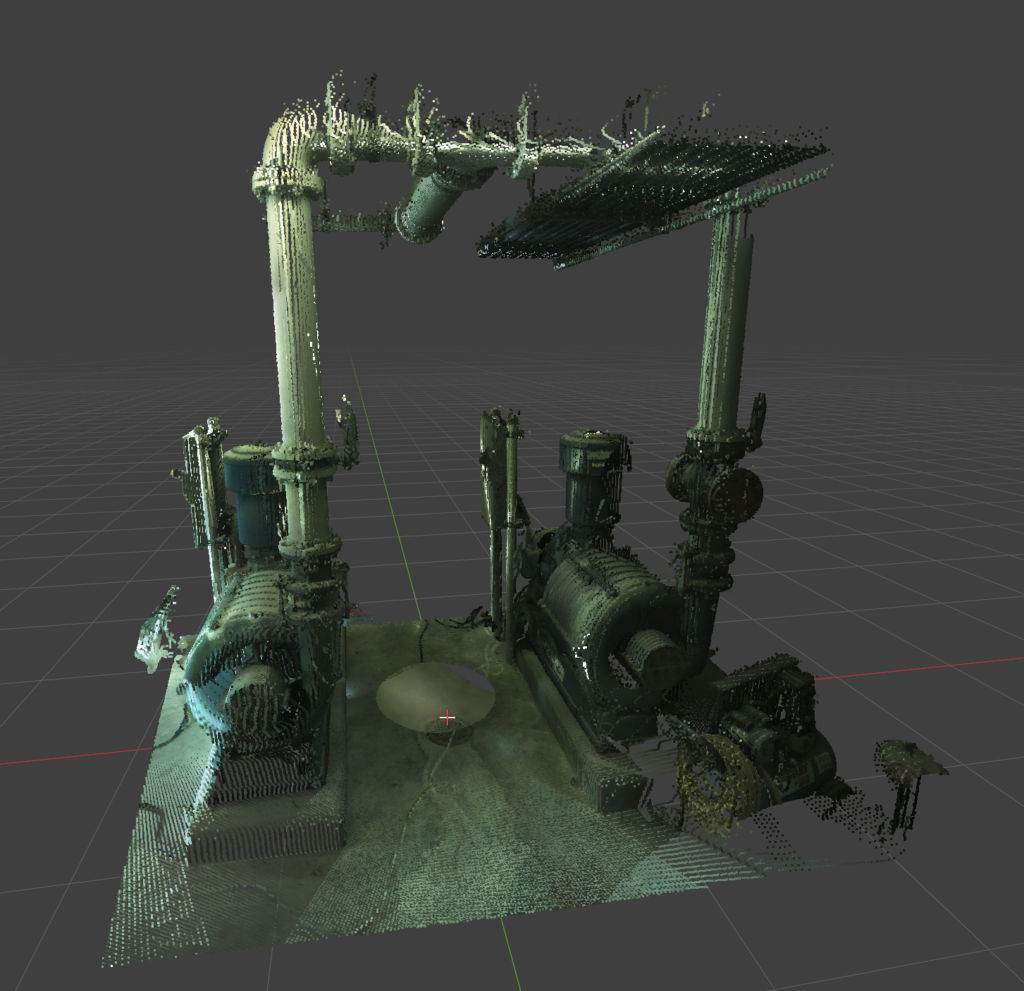
Fast Mode – up to ~500 million points with excellent performance
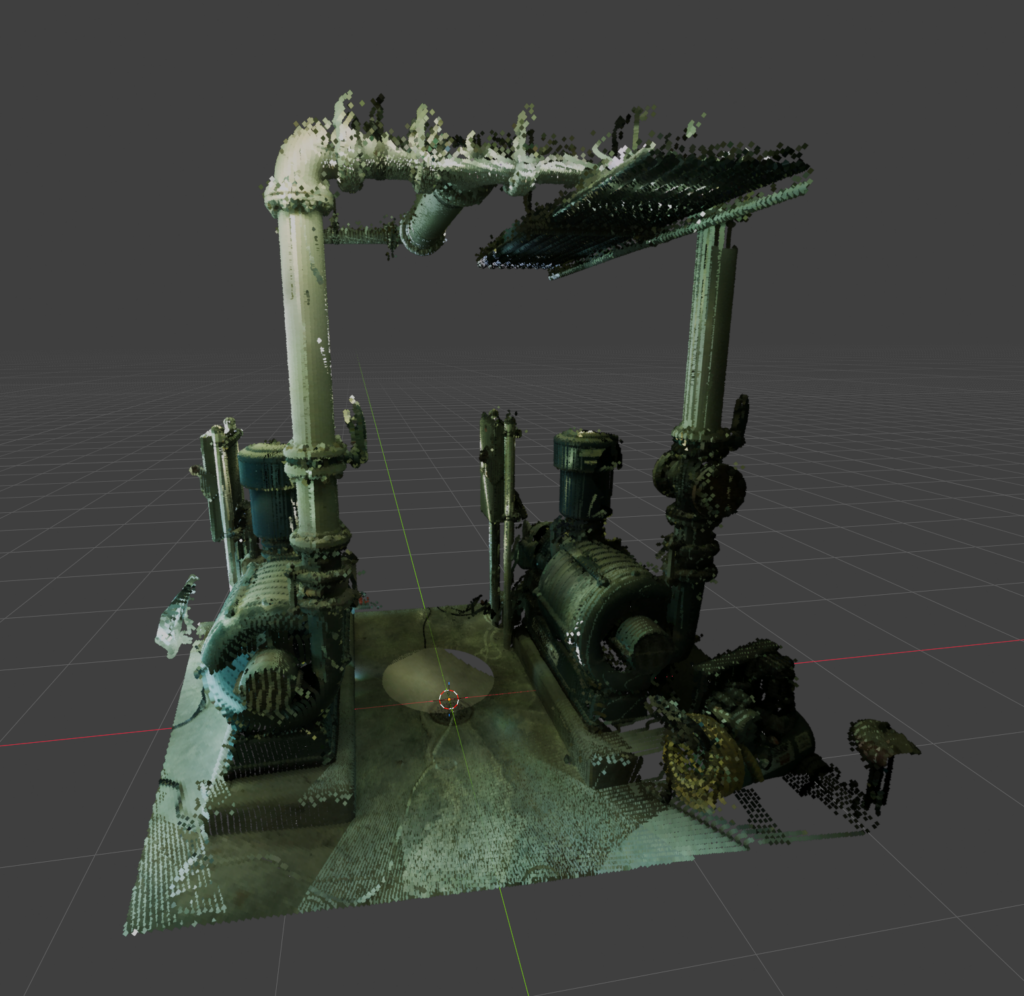
Render Mode – up to ~40 million points with lighting and shadows
GPU-accelerated viewport drawing for mesh objects that are used as pointclouds.
- Extension ID
fast_pointcloud_viewport_rendering- Current Version
- 1.1.0
- Minimum Blender Version
- 5.1.0
- Maintainer
- Jace Priester
- License
- GPL-3.0-or-later
- Repository
- https://jacepriester.com/blender-repo
Overview
This extension allows for lightning fast rendering of pointcloud data in the viewport using custom GPU buffers and shaders. Blender already has support for rendering pointclouds in a very robust but inefficient way. On high end hardware, the max number of points you can comfortable see and work with is somewhere around 20-50 million points. Blender supports re-coloring, re-lighting, and casting shadows from these points, but the efficiency is too poor to use on large scenes.
By activating this plugin and using the related PTS/E57 importers and exporters you can not only view and work with massive pointclouds, tested on a 4090 up to 550million points on screen at once, but you also get full editing capabilities through Blender’s standard mesh edit mode. Pointcloud objects are imported as vertex-only mesh objects with a per_vertex_color custom attribute. This extension handles rendering them at peak efficiency.
While in Fast mode, pointclouds will not render – they are visible in the viewport only. You have the ability to switch to Blender’s vanilla method of rendering pointclouds at any time by hitting Object->Pointclouds->All to Render which activates a set of geometry and material nodes to let Blender render these as part of the normal Eevee/Cycles render pipeline. You can also hit Object->Pointclouds->All to Fast to toggle them back to this accelerated mode.
The add-on exposes pointcloud mode controls in the 3D View Object menu under Pointclouds. It can switch selected or all pointclouds between a fast custom viewport mode and a render-oriented mode.
Major Features
- Fast viewport mode: draws qualifying pointcloud objects using GPU batches and shaders.
- Render mode setup: configures pointcloud objects for render visibility using generated material/node setup.
- Per-vertex color support: uses the
per_vertex_colorpoint attribute when available. - Viewport picking: supports pointcloud-aware object selection using an offscreen pick buffer.
- Cursor placement: places the 3D cursor on pointcloud depth when a pointcloud is under the cursor.
- Point size controls: increases or decreases the global pointcloud point size.
- Clip-aware drawing: honors viewport clipping through shader-side clip plane handling.
Basic Usage
- Install and enable the extension.
- Import or create a points-only mesh object with optional
per_vertex_colorpoint colors. - Open Object > Pointclouds in the 3D View.
- Choose Selected to Fast or All to Fast to enable custom viewport drawing.
- Use Selected to Render or All to Render when the pointcloud should be set up for rendering.
- Use the point size menu items or numpad shortcuts to adjust point size while working.
Commands and Shortcuts
- Selected to Fast
- Enables fast custom viewport rendering for selected pointcloud objects.
- Selected to Render
- Switches selected pointcloud objects to render-oriented setup.
- All to Fast
- Enables fast mode for all detected pointcloud objects in the file.
- All to Render
- Switches all detected pointcloud objects to render mode.
- Point Size + / Point Size –
- Adjusts the global point size used by the custom pointcloud viewport renderer.
- Numpad Plus / Numpad Minus
- Keymap shortcuts for increasing and decreasing point size.
- Alt + Select Mouse
- Performs pointcloud-aware object selection in Object Mode.
- Shift + Alt + Select Mouse
- Toggles pointcloud-aware selection.
Permissions
No special permissions are declared in the extension manifest.
Notes
- The extension installs 3D View draw handlers, load/depsgraph handlers, a polling timer, and add-on keymaps.
- Only mesh objects recognized as pointclouds are affected by the mode commands.
- Color rendering expects a point-domain attribute named
per_vertex_color.